
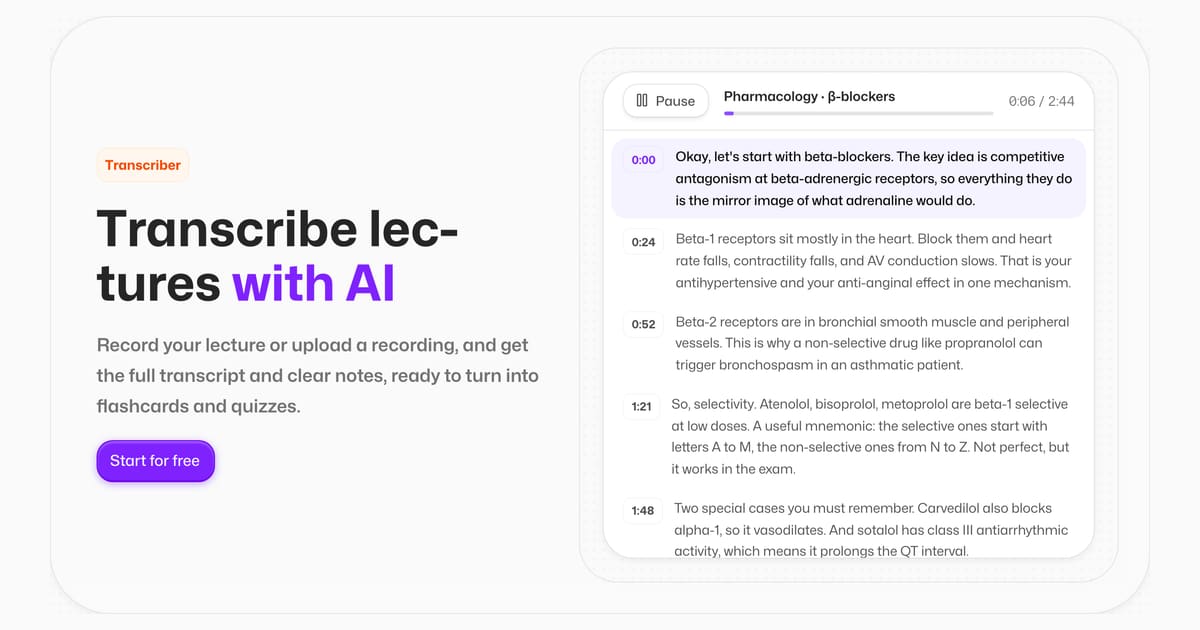
To transcribe a lecture, record it on your phone or laptop, run the audio through a transcriber set to the lecture's language, and turn the transcript into notes you will actually reread. Recording means you can listen in class instead of typing every word, then study from the full text afterwards. Here is how to do it well, from where you sit to the flashcards you make from it.
Why record your lectures?
Typing everything a lecturer says means you hear the words and miss the ideas. With a recording you can follow the argument and jot down only what strikes you, knowing the full text will be there later.
It helps most in three situations:
- Long, dense lectures where you cannot keep up.
- Lectures in a second language, where reading back at your own pace makes all the difference.
- Revision weeks later, when you need to know exactly what was said.
Before you record
- Ask first. Many universities allow recording for personal study; some ask you to check with the lecturer. A quick question avoids problems.
- Sit near the speaker. Distance and room noise matter more than the microphone.
- Know the language. A transcriber works best when it is told which language the lecture is in.
How to record and transcribe a lecture with Flashka
- Choose the language the lecture is given in, then press Record. The language is fixed for the recording, so pick it carefully.
- Record up to two hours. Time spent paused does not count. In the iPhone, iPad and Android apps the recording carries on with the screen locked; in a browser it carries on in a background tab.
- Let it save as you go. The recording is saved in parts while the lecture runs, so nothing is lost if something goes wrong.
- Stop, listen back and transcribe. Name the lecture and press Transcribe. You get the transcript, notes written from it, and the audio, together in one deck.
The transcript is not live. The audio is transcribed in parts in the background while you record, and the full transcript is ready shortly after you stop.
Already have a recording? Upload an audio file (up to 500 MB) or an MP4 video, or on the web paste a YouTube link to use the video's captions.
From transcript to notes
A raw transcript is long and repetitive, which is why Flashka writes notes from it for you. The transcript and the notes follow the audio as it plays, with the line being spoken highlighted, and you can tap any line to hear that moment again.
Go through the notes once on the same day, while the lecture is fresh. Add what the lecturer stressed and cut what you already know: they are ordinary notes, so you can edit anything. To catch up faster, play the audio back at up to 3× speed on the web and 2× on iPhone and iPad.
From notes to flashcards
Highlight the parts that will be examined and turn them into flashcards, or make a quiz or a mind map from the whole lecture. Cards made from a lecture sit on its timeline: View source plays the second they came from, which settles "what did she actually say?" in one tap.
Your lecturer also shares slides? The same steps work for them: turn a PDF into flashcards.
A weekly routine that works
- Record the lecture and listen in class.
- Read the notes the same evening and fix anything unclear.
- Make cards from what will be examined.
- Review them every day with spaced repetition.
The short version
Record, listen, transcribe, then turn the notes into cards the same week. You stop being a typist in class and start being a student, and every card you make can play back the moment it came from.


